
Hockey stick handling game
A practical guide to choosing a hockey stick handling game for home training, including dedicated boards, VR drills, phone tracking, and Dangleverse.

A hockey stick handling game should make repetition feel like play without removing the hockey part. The best setup depends on whether you want a dedicated electronic board, a VR/mixed-reality drill system, or a real stick-and-puck video game that works with devices you already own.
For most homes, the important questions are simple: how much space do you have, how much hardware do you want to buy, and whether the player will keep coming back after the novelty wears off.
What counts as a hockey stick handling game?
A true stick handling game gives the player feedback while they handle a puck, ball, or training puck. That feedback can come from lights on a board, a connected app, a VR headset, or a camera tracking the puck and turning movement into gameplay.
Most products fit into one of four categories.
| Type | How it works | Best for | Main limitation |
|---|---|---|---|
| Electronic stickhandling board | Built-in targets or sensors track a special puck on a dedicated board. | Fast reaction drills and high-score chasing. | The playing area is fixed by the board, and most systems require their own puck. |
| VR or mixed-reality drills | A headset shows drills, targets, or virtual opponents. | Players who want coaching-style drills and immersive training. | You are buying into a headset workflow, not a normal living-room hockey setup. |
| Mobile puck-tracking game | A phone or tablet camera tracks a real puck or ball and sends movement to the game screen. | Players who want real stick handling to control a real video game. | Tracking quality depends on lighting, contrast, device placement, and setup. |
| Training app without tracking | The app gives drills, timers, or videos while the player practices separately. | Structured workouts and coaching plans. | It does not turn the puck itself into the controller. |
The main competing options
Dedicated electronic systems such as SuperDekerPro and Better Hockey Game Changer focus on built-in training hardware. They are good at repeatable reaction drills because the system controls the surface, targets, puck, and feedback loop.
VR and mixed-reality options such as Sense Arena DanglePro focus more on guided drills, read-and-react training, and coaching-style skill development.
Mobile puck-tracking products, including Dangleverse and HeadsUpHockey, take a different approach: use a camera to track the puck or ball, then turn that movement into gameplay. That makes the setup more flexible, but it also means camera position and puck visibility matter more.
Where Dangleverse is different
Dangleverse was built around the idea that your real stick and puck become the controller. Odd Man Rush is the first game in the Dangleverse app: you move the puck left and right to steer, move forward to jump, and perform real stick handling movements to play.
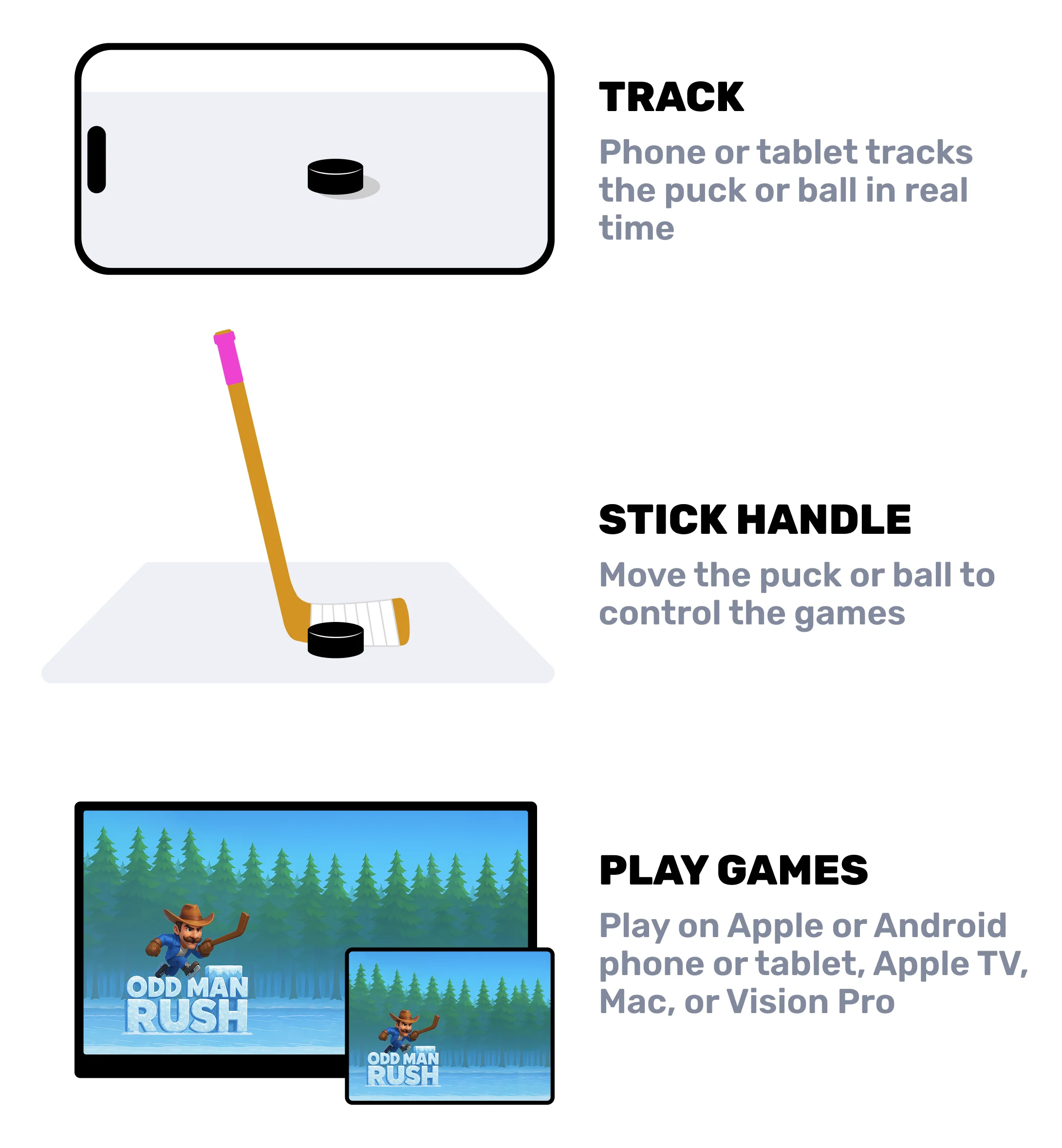
That matters because the player is not just tapping targets. They are repeating real puck-control movements while chasing a score, avoiding obstacles, collecting items, and trying to survive longer runs.
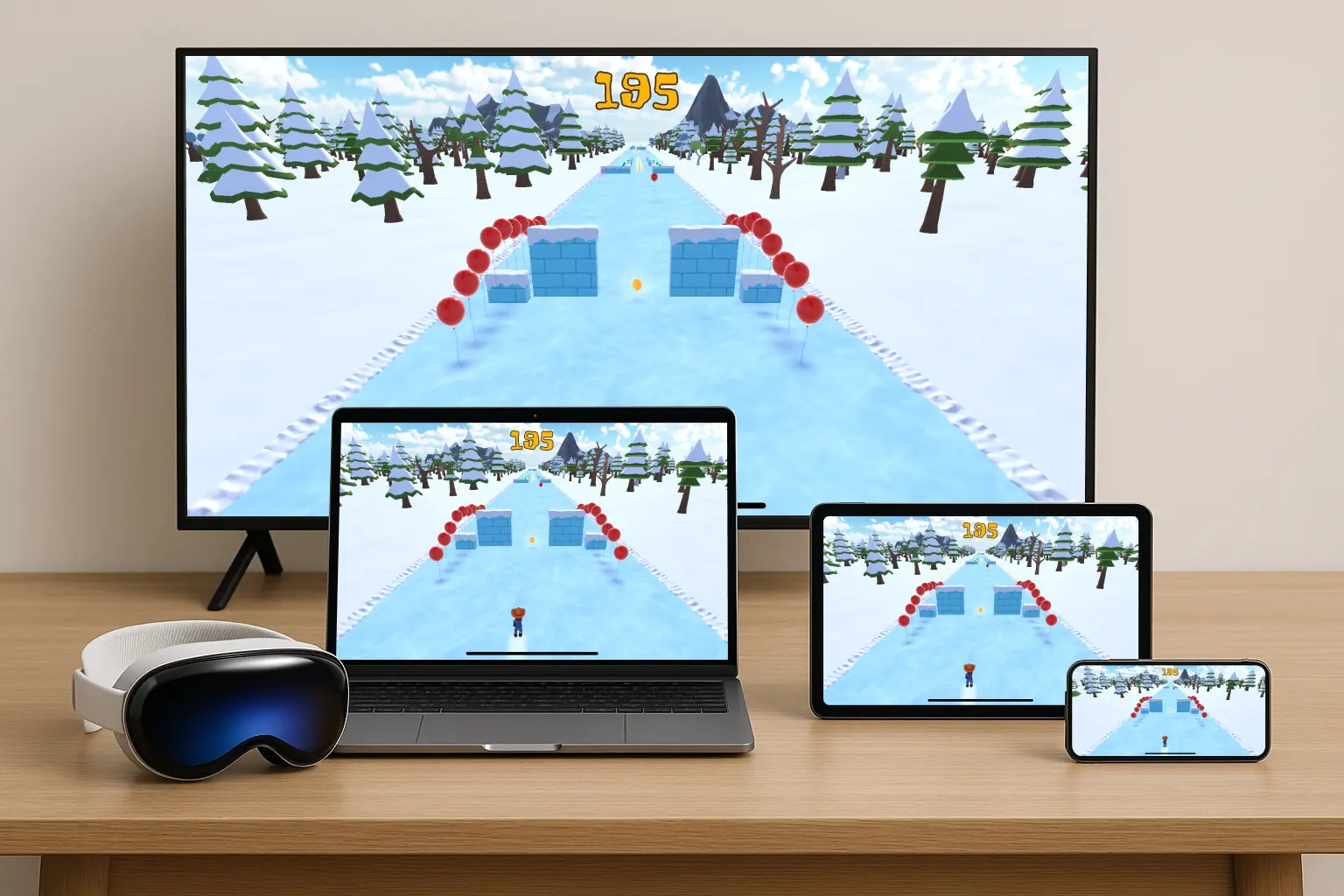
The big difference is that Dangleverse does not require a dedicated electronic board. You can play with a puck or ball, a tracking device, and a gameplay screen. For the most video-game-like setup, use a larger screen such as an iPad, Mac, Apple TV, or TV connected to a device.
Eyes-up stick handling matters
One limitation of SuperDeker-style boards, other electronic stickhandling boards, and Sense Arena's DanglePro is that the player is often rewarded for looking down at the board, puck, virtual puck, or target area. That can be useful for isolated reps, but it is not the habit players need in a real game.
In hockey, playing with your eyes down is bad practice. It limits awareness, slows decisions, and can be dangerous when a player is skating into pressure without seeing teammates, opponents, or open ice.
Dangleverse is designed to make the screen the thing you react to, while the puck stays under your hands. The goal is closer to the real hockey habit: handle the puck without staring at it.
When a dedicated board is better
A dedicated board can be the better choice if you want the hardware to control everything: the surface, puck, target placement, and scoring. That can be useful for players who want a compact training station with predictable drills and no camera setup.
Dedicated boards also reduce some tracking variables because the sensors are part of the product.
The tradeoff is that the game is usually tied to that board, that puck, and that physical footprint. If the player wants more open stick handling movement, a larger surface, or a living-room game screen, a camera-based system can feel more flexible.
When VR is better
VR and mixed-reality training can be better if the player wants coaching prompts, body movement, scanning habits, or an immersive drill environment. Those systems can be strong for focused skill development.
The tradeoff is that VR is a headset-first training flow. For families who want a real stick-and-puck game on the TV, Dangleverse is a different category.
When Dangleverse is the better fit
Dangleverse is usually the better fit when:
- The player already loves video games.
- You want them doing real stick handling reps at home.
- You want to reinforce eyes-up puck control instead of staring down at a board.
- You want to use common devices instead of buying a dedicated electronic board.
- You want the setup to scale from a small room to a larger mat.
- You care about making short daily sessions feel fun enough to repeat.
Dangleverse is not the best fit if:
- You want a no-camera, all-in-one electronic board.
- The room has poor lighting or very low puck contrast.
- You want shooting practice more than stick handling.
- You want a headset-based training system.
A good starter setup
If you are building from scratch, this is the setup we would choose:
| Part | Recommendation | Why it matters |
|---|---|---|
| Game | Odd Man Rush | It turns stick handling into an actual score-chasing game. |
| Surface | Danglemat medium or large | More room makes real puck movement feel natural. |
| Puck | Danglemat puck, regular puck, or high-contrast ball | Tracking and glide both depend on the puck-surface combination. |
| Stand | Device stand | Stable camera placement makes setup faster and tracking more consistent. |
| Gameplay screen | Apple TV, iPad, Mac, or larger phone | A larger screen feels more like a real video game. |
Final recommendation
If you want a compact electronic reaction board, compare dedicated stickhandling systems first. If you want headset-based drills, look at VR or mixed-reality training. If you want a real stick-and-puck video game that can run on devices you already own, Dangleverse is the option built for that job.
For the best Dangleverse setup, pair Odd Man Rush with Danglemat and a device stand, or buy the full setup. That gives you the game, the surface, and a repeatable tracking setup without turning your living room into a permanent training station.